
Review & Ship
Review & Ship is where agent changes become code you're willing to merge. It gives each task its own owned worktree, shows the tracked diff against a recorded base, and only removes checkouts it can prove are clean.
The flow
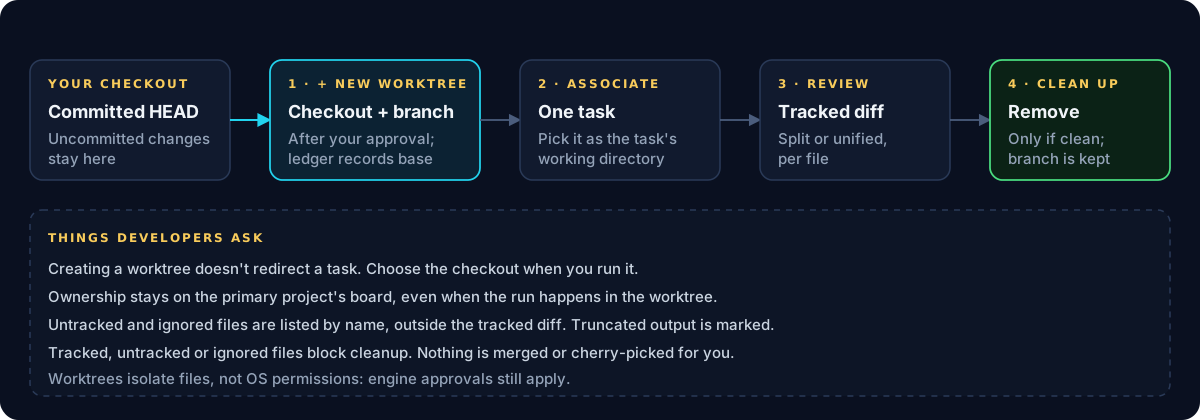
- Review & Ship → Owned worktrees → + New worktree. After your approval, Cleetus creates a checkout and branch from your committed HEAD and records its base in a ledger. Uncommitted changes in your primary checkout stay there.
- Associate it with one task. It then appears in that task's working-directory list.
- Run the task in it. Choose the worktree as the working directory when you run. Creating it doesn't redirect anything automatically.
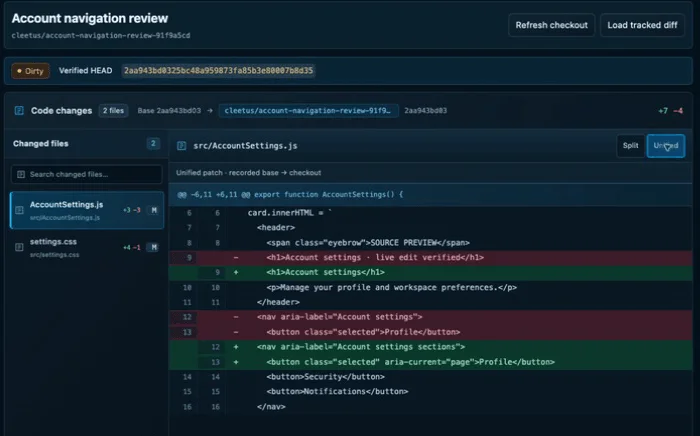
- Refresh checkout, then Load tracked diff. Pick files from the changed-file list and switch between Split and Unified.
- Approve or request changes on the task, then merge through your normal Git workflow.
- Clean up when you're done.
What the diff shows
- Tracked changes against the recorded base, as source-backed hunks.
- Truncated output is marked as truncated.
- Untracked and ignored files are listed by name, outside the tracked diff.
- A dirty badge and verified HEAD show exactly which commit you're looking at.
Cleanup is conservative
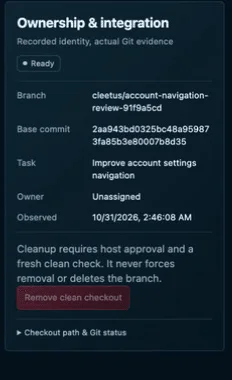
Remove clean checkout needs your approval and a fresh clean check. Tracked, untracked or ignored files all block it, and the branch is always kept. Review & Ship never force-removes a checkout, deletes a branch, merges or cherry-picks.
Boundaries worth knowing
- Ownership stays on the primary board. The task belongs to the primary project even when it runs in a worktree.
- Authority doesn't transfer. Another task's worktree, a changed Git identity or a stale lease grants no access, and history doesn't restore checkout authority by itself.
- Worktrees isolate files, not permissions. Engine approvals and OS permissions still apply.
Pull requests
Review & Ship → Pull requests shows checks, reviews and merge evidence for each PR's current head, through a configured GitHub connection. Missing, skipped, stale and unavailable results stay distinct from a pass. If GitHub isn't configured, Configure GitHub takes you straight to setup. See PR evidence.